View your site’s master plan details, land use zoning and planning status in one place, before you buy, design or apply for approval.
Step2TNCDBR links your saved site to the Master Plan of the respective Village / Ward and prepares a clear abstract for you, so you can plan with confidence in Tamil Nadu.
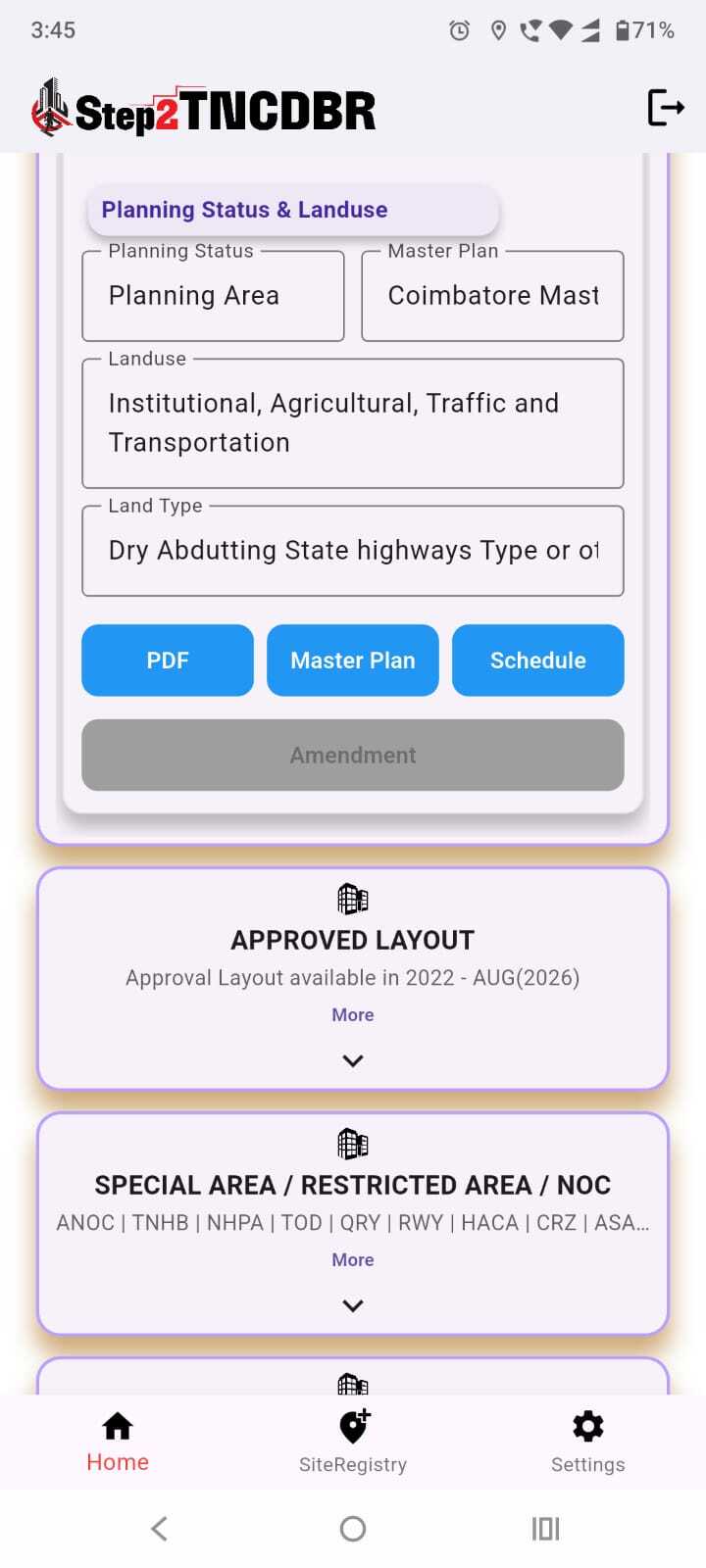
Find out whether your site falls within a Planning Area, along with the Master Plan that applies to it.
See the land use designated for your survey number under the Master Plan, such as Residential, Commercial, Institutional, Agricultural, or Traffic and Transportation.
View the land type as classified, including wet or dry land and whether it abuts a State Highway or other roads.
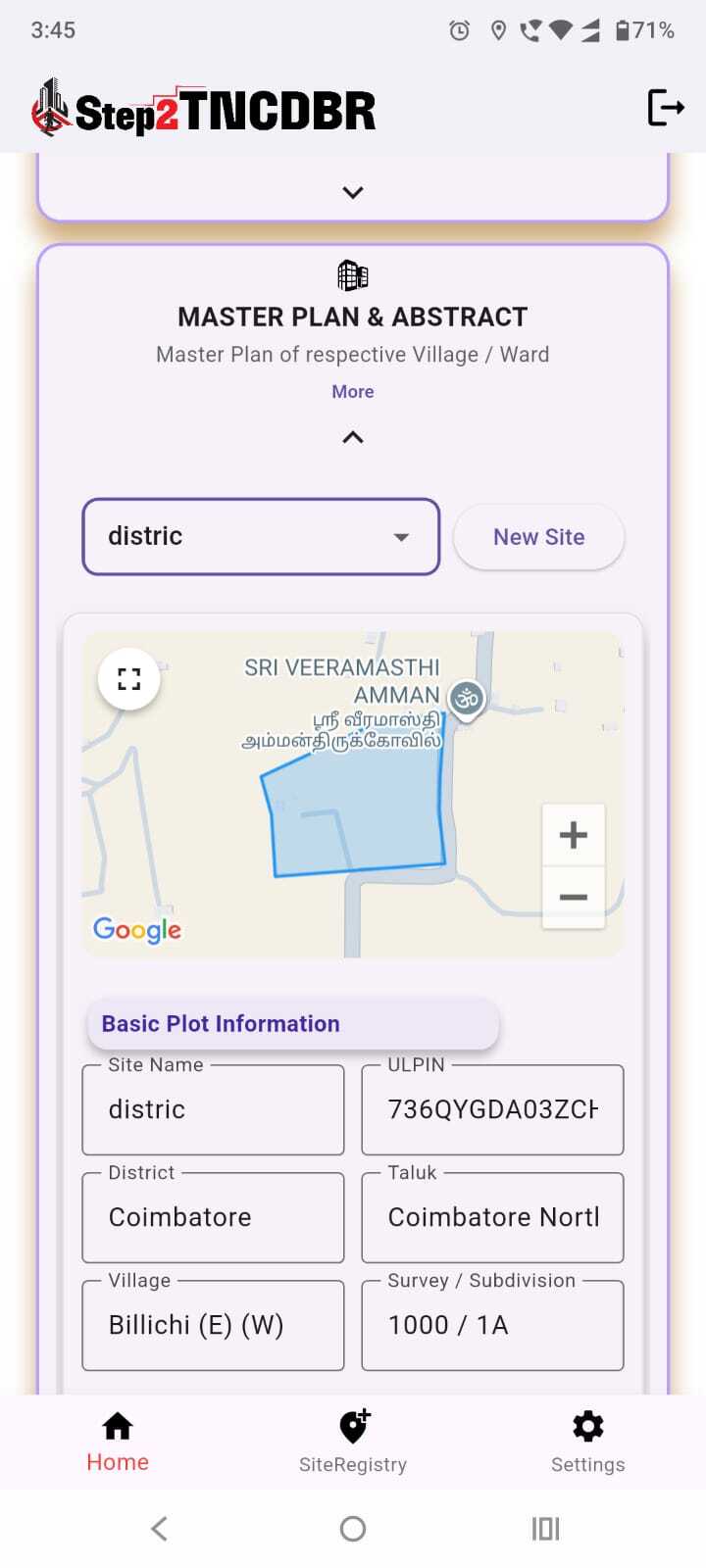
Your plot boundary is shown on the map, along with the district, taluk, village, survey/subdivision number and ULPIN.
Open the Master Plan, view its schedule and check amendment details, all from the same screen.
Add your site, open Master Plan & Abstract and get your report in simple steps.
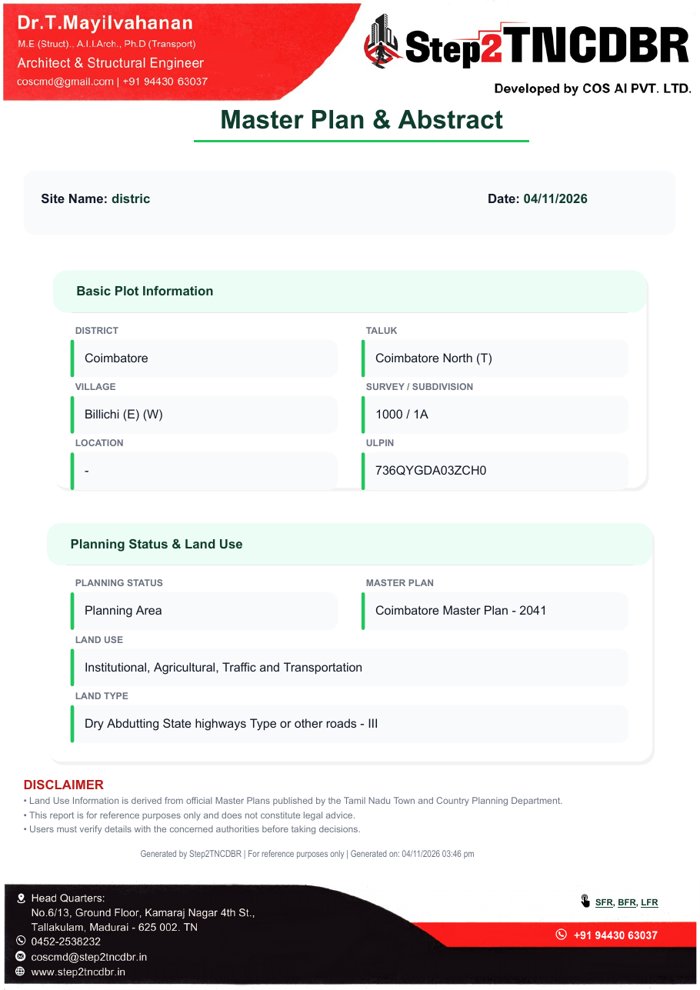
Download your report instantly as a PDF. It includes basic plot information, planning status, master plan name, land use, land type and a disclaimer, ready to share with your architect, engineer or client.
Whether you are a landowner, buyer, developer, architect or consultant, it helps you:
Master Plan & Abstract report for your saved site.
Information is derived from official Master Plans published by the Tamil Nadu Town and Country Planning Department. This report is for reference purposes only and does not constitute legal advice. Coverage and update timelines may vary. Verify details with the concerned authorities before purchase or development. Step2TNCDBR is not affiliated with any government agency.